01
安裝擴充功能
在瀏覽器擴充功能商店搜尋並安裝 Telegram 媒體下載助手
提示:
- 在擴充功能商店搜尋「Telegram 媒體下載助手」
- 點擊「新增至 Chrome」或「安裝」按鈕
- 等待安裝完成
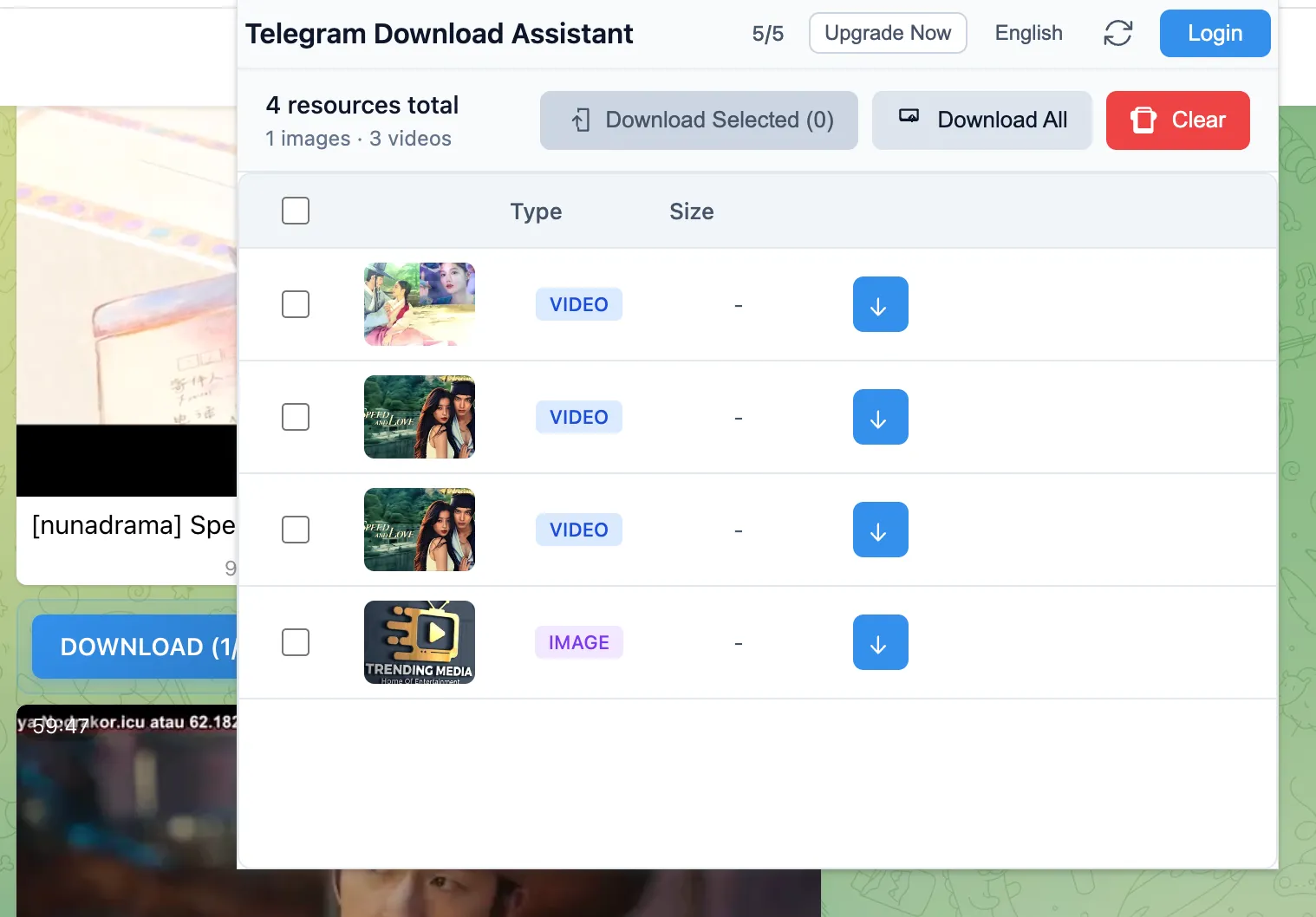
無需複雜設定,無需登入。安裝後幾分鐘內即可開始下載。
Use this flow when you can already open the target message in Telegram Web, but the native download button is missing, disabled, or too limited for the files you need.
在瀏覽器擴充功能商店搜尋並安裝 Telegram 媒體下載助手
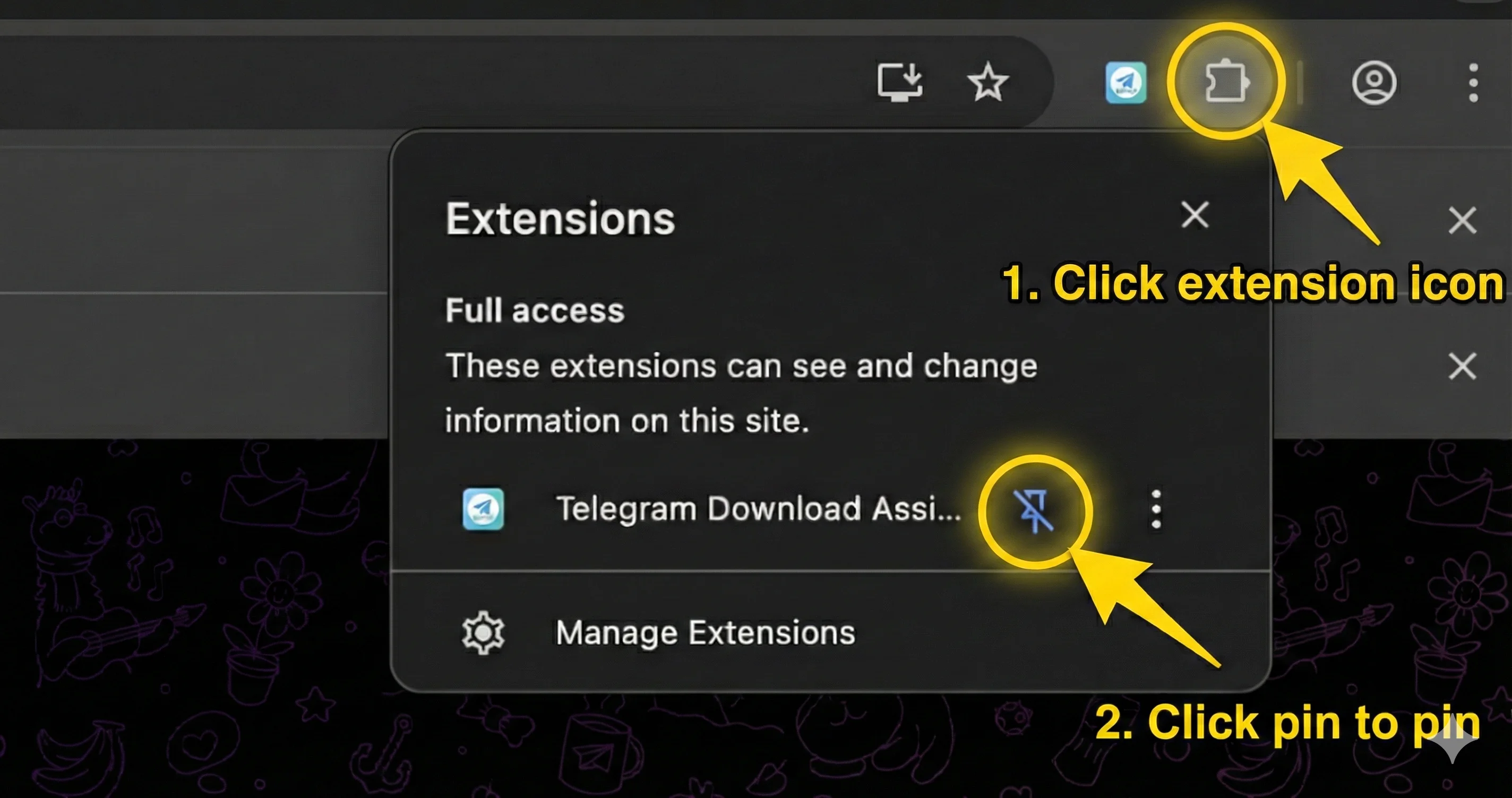
點擊瀏覽器工具列,將擴充功能圖示固定以便快速存取
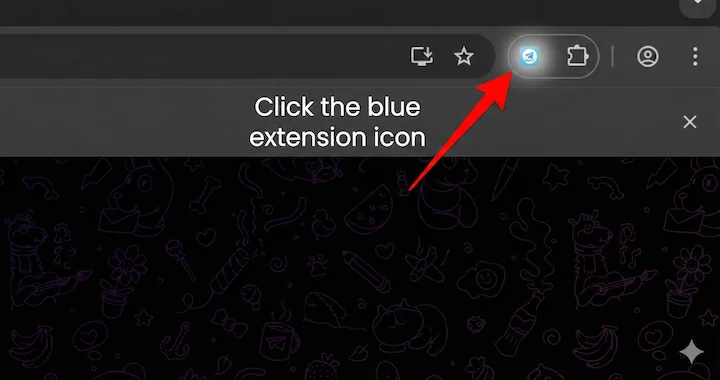
造訪 web.telegram.org,擴充功能會自動開始掃描媒體資源
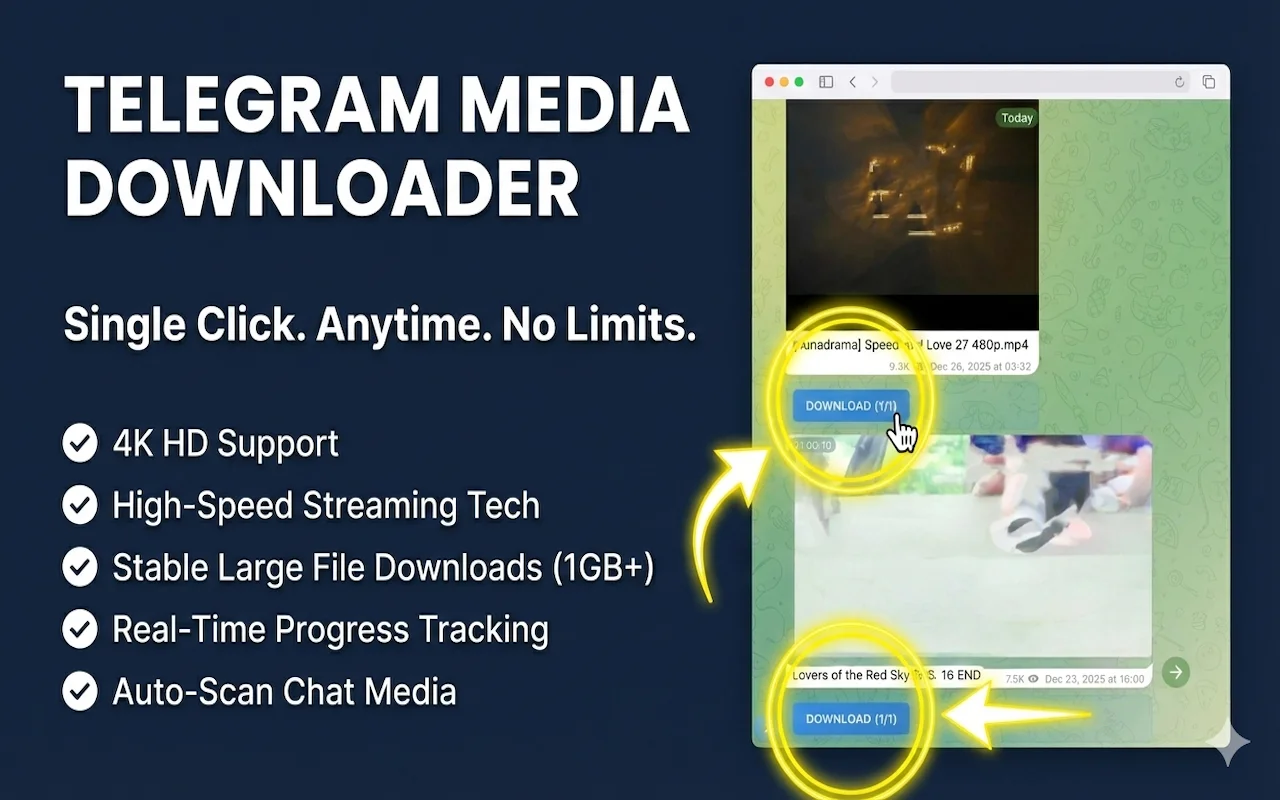
選擇要下載的檔案,點擊下載按鈕即可批次儲存到本機
These are the most common reasons a private channel or restricted message does not download on the first try.
確保您已授予必要的權限。嘗試重新整理 Telegram Web 頁面。
捲動聊天記錄以載入更多訊息。擴充功能會偵測螢幕上出現的媒體。
檢查您的網路連線。某些大檔案可能需要更長時間才能開始下載。
需要更多幫助?
如果您遇到的問題未在此涵蓋,請聯繫我們的支援團隊。